
Corporate Infographics
Professional business style
Navy blue and grey palette with structured columns. Designed for quarterly reports, investor decks, and internal communications. Conveys authority and professionalism.
Create Corporate Infographic — FreeDesign Principles of the Corporate Style
Best For
- Quarterly and annual reports for stakeholders and investors
- Internal communications (org charts, process documentation, onboarding materials)
- Investor pitch decks and due diligence summaries
- Regulated industries (banking, insurance, healthcare) where professional appearance affects compliance perception
Not Ideal For
- Consumer-facing social media content that needs to feel approachable
- Creative industry portfolios (design, art, music) where corporate aesthetics clash with brand identity
- Youth-oriented educational materials
Color Psychology
Navy blue is the most universally trusted color in business contexts — 33% of the world's top 100 brands use blue as their primary color (source: 99designs research). Combined with grey and white, it creates a palette that reads as 'established, reliable, competent.' The addition of a warm accent (gold or teal) prevents the palette from feeling cold while maintaining professionalism.
Typography Guide
Corporate infographics use clean sans-serif fonts for data and headers (Arial, Calibri, or their modern equivalents) but may incorporate a serif font for report titles to add gravitas. Numbers should be displayed in tabular figures (monospaced digits) so columns of data align properly. Avoid condensed fonts — they save space but reduce readability in professional documents.
Corporate vs. Minimal: Which Should You Choose?
Corporate style is more structured and brand-assertive than minimal. Where minimal uses whitespace as its primary design element, corporate fills the canvas with organized data in defined columns and sections. Corporate includes explicit branding elements (logos, color schemes) and conventional business chart types. Choose corporate when the audience expects institutional polish; choose minimal when the audience values design sophistication.
 Explore Minimal Style
Corporate Templates
Ready-to-use templates in the Corporate style. Click to customize and generate.
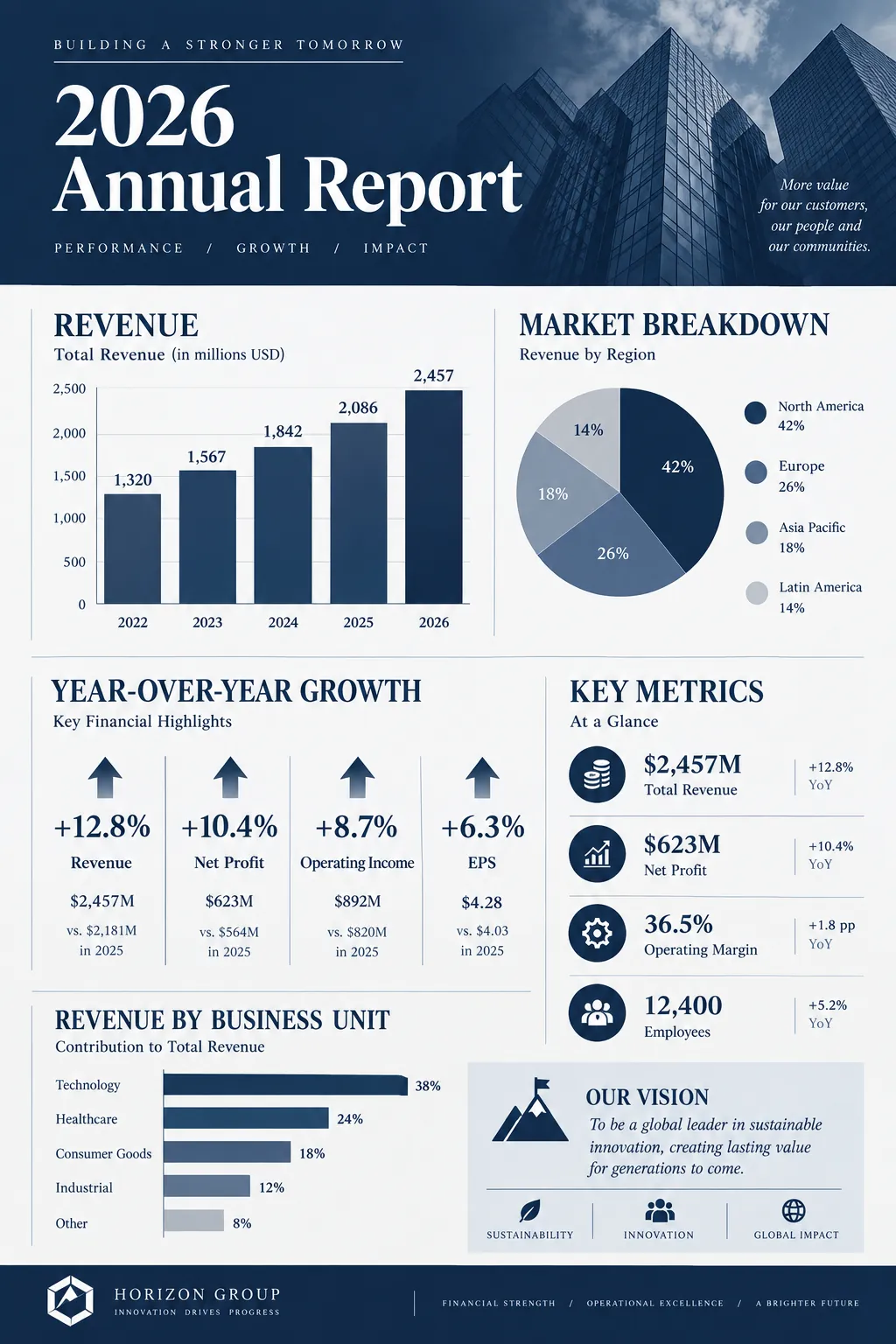
Annual Report Summary
Professional financial overview with key performance indicators, year-over-year growth, and strategic outlook.
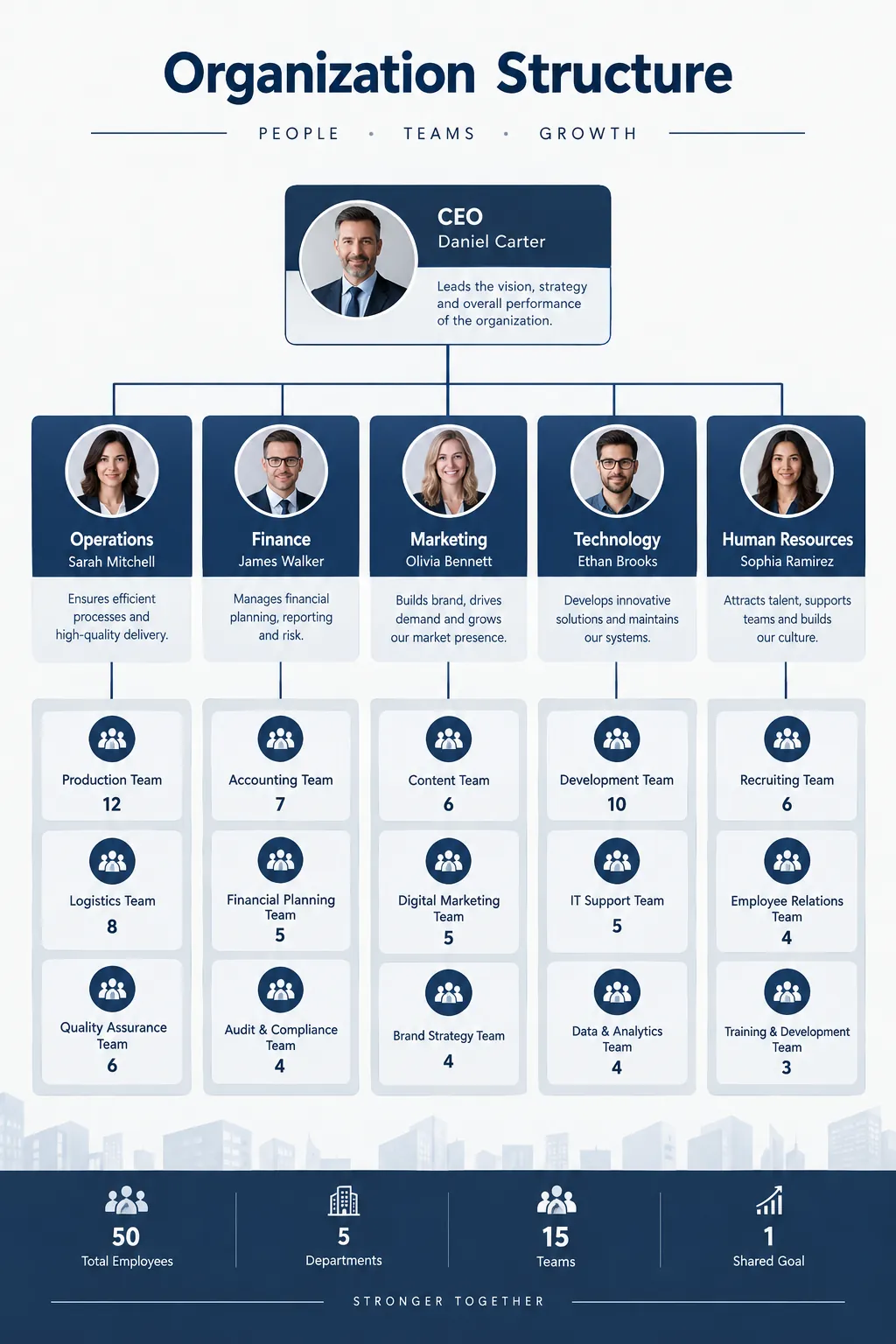
Organization Structure
Hierarchical org chart with departments, team leads, and reporting lines. Great for onboarding materials.
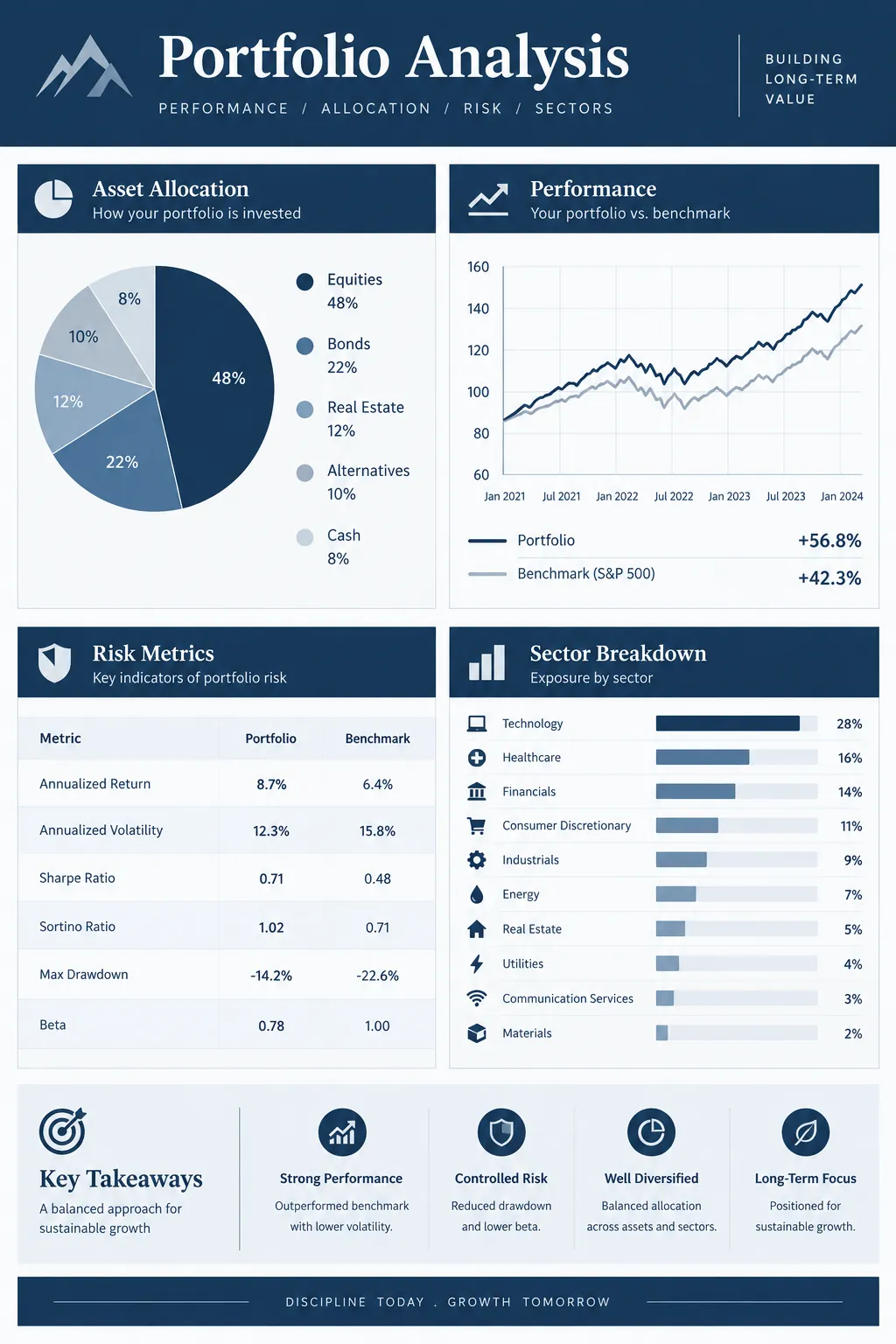
Investment Portfolio Analysis
Professional portfolio breakdown for financial advisors and investors. Asset allocation, performance benchmarks, risk metrics, and diversification strategy in a clean corporate layout.
Frequently Asked Questions
Can I use a corporate infographic style for a startup?
What makes a corporate infographic different from a regular business chart?
Create Your Corporate Infographic
Describe any topic, and AI generates a polished Corporate infographic in seconds. No design skills required.
Start Creating — Free